The best AI video generator in 2026 depends on whether you want one realistic clip, fine camera control, or an edited multi-shot video. For most people starting from a text prompt, Google Veo 3.1 (through Google Flow) is the best place to begin because its lighting, physics, and daily 50-credit free allowance beat most entry tiers. If you need 30-second single takes, native 4K, or reference-video camera control, pick Seedance 2.5 or Kling 4.0; if you want to compare multiple models in one workspace and cut the winning takes on a real timeline, try ChatCut on a paid plan.
Disclosure: ChatCut is our product. We ran the same prompt across four models integrated into our workspace, checked standalone competitors against their official documentation and pricing pages on November 18, 2026, and list our own limits alongside every other tool’s.
Key Takeaways
- Start with Google Flow for free daily testing: every account receives 50 Flow credits per day (enough for five 720p Veo 3.1 Lite clips), though non-subscribers may be unable to generate video during peak UTC hours.
- Native audio is now standard: Veo 3.1, Seedance 2.5, Kling 4.0, Gemini Omni, and MiniMax H3 all generate synchronized ambient sound or speech in the same pass as the picture.
- “Free” usually means trial credits or a watermark: Runway grants 125 one-time watermarked credits, Hailuo and invideo watermark free downloads, Higgsfield includes zero monthly credits on Free, and Luma lists no permanent free tier.
- OpenAI’s Sora is gone: the Sora apps closed on April 26, 2026 and the Sora 2 API shut down on September 24, 2026, splitting former Sora workflows across Veo 3.1, Seedance 2.5, and Kling 4.0.
- Need an AI presenter or a transcript editor for filmed footage instead? See our workflow guide to the best AI tools for creating videos.
Best AI Video Generators at a Glance
| Tool | Best for | Platforms | Free-plan limits | Paid from (US) | Learning curve |
|---|---|---|---|---|---|
| Google Veo 3.1 (Flow) | Realism and daily free tests | Web | 50 Flow credits/day (Veo 3.1 Lite, 720p); peak pauses (~14:00–17:00 UTC) | Plus ($4.99/mo) or Pro ($19.99/mo) | Easy |
| Runway (Gen-4.5) | Shot control and restyling footage | Web, iOS, Android | 125 one-time credits; watermarked exports; 5 GB storage | $15/mo ($12/mo annual) | Moderate |
| Seedance 2.5 | Native 4K, 30s takes, rich references | Web (Dreamina, API, editors) | Dreamina gives free daily credits; API is pay-per-use | Dreamina Basic $15/mo ($0.29 first US month); usage API | Easy to Moderate |
| Kling AI (Kling 4.0) | Reference-video camera paths and dialogue | Web, iOS, Android, API | Basic $0 has 0 monthly credits, watermarked, non-commercial | $10/mo list ($6.99 first mo, $8.80 renewal) | Moderate |
| ChatCut | Comparing models and finishing the edit | Web, macOS, Windows (x64), AI agents | Free editor, captions, 60 cloud-export min; paid plan required for AI video | $25/mo (100 credits) or $252/yr | Easy |
| Luma AI (Ray3.2) | 16-bit HDR, EXR VFX, 16-keyframe paths | Web, iOS, API, MCP | No permanent free plan on pricing page | $30/mo ($300/yr) | Moderate to Steep |
| Hailuo AI (MiniMax H3) | Lower-cost reference-guided clips | Web, iOS, Android, API | Watermarked downloads; commercial rights only on paid plans | $14.99/mo list (site advertises from $9.99/mo) | Easy |
| Pika | Social effects and watermark-free packs | Web, iOS, API, MCP | $0 plan has 0 monthly credits (pack-based); no watermark; non-commercial | $10/mo ($8/mo annual) | Easy |
| Higgsfield | Ad presets, UGC builders, batch runs | Web, API, MCP | $0 plan has 0 monthly credits, 1 job at once, visible watermark | $15/mo; $49/mo unlocks all models | Easy to Moderate |
| invideo AI | Brief-to-draft marketing assembly | Web, iOS, Android, MCP | Limited trial exports carry an invideo watermark | $20/seat/mo ($10/seat/mo annual) | Easy |
How We Chose and Tested
We evaluated each generator on four criteria:
- Motion and physics under stress: water spray, wheel spokes, wet reflections, and moving traffic expose warping quickly.
- Shot length and controllability: support for 10-to-30-second takes, keyframes, and image, video, or audio references.
- Native audio quality: whether ambient sound, Foley, and lip-synced dialogue arrive usable in a single pass.
- Real cost per usable clip: how fast retries burn credits, and what the free tier actually restricts.
On November 18, 2026, we ran a same-prompt text-to-video test across four models inside our workspace—Seedance 2.5, Kling 4.0, Gemini Omni, and MiniMax H3—using one 16:9 prompt: “A 6-second low-angle tracking shot of a cyclist in a yellow rain jacket riding across a rain-soaked city crosswalk at dusk, tires kicking up water spray, warm neon storefront reflections shimmering in wet asphalt puddles, realistic street traffic ambience and rain on pavement, cinematic, no text or subtitles.”
For standalone platforms—Google Flow, Runway, Luma, Hailuo’s web studio, Pika, Higgsfield, and invideo—specs, free-tier rules, and prices come from the official docs and pricing pages, checked on Nov 18, 2026.
| Model tested (Nov 18) | Output & length | Native audio | Credits charged | What we saw in the frames |
|---|---|---|---|---|
| Seedance 2.5 | 1280×720, 24 fps, 6.08s | Stereo AAC (-31.9 dB mean) | 6.54 | Convincing ground-level camera and spoke physics; cropped the upper torso and rendered an orange-red jacket instead of yellow. |
| Kling 4.0 | 1280×720, 24 fps, 6.04s | Stereo AAC (-25.4 dB mean) | 4.53 | Nailed yellow hooded jacket, basket bike, crosswalk, moving cars, and stereo rain; garbled small text on a distant shop sign. |
| Gemini Omni | 1280×720, 24 fps, 6.04s | Stereo AAC (-31.1 dB mean) | 2.94 | Fastest (~35s); cyclist steered right off the crosswalk down a wet neon street at 3.4s, with his head cropped above frame. |
| MiniMax H3 | 1344×768, 24 fps, 6.58s | Stereo AAC (-20.1 dB mean) | 2.31 | Cheapest take with clear white tire spray and loud rain audio, but heavy magenta-cyan neon grading and tight top framing. |
The 10 Best AI Video Generators in 2026
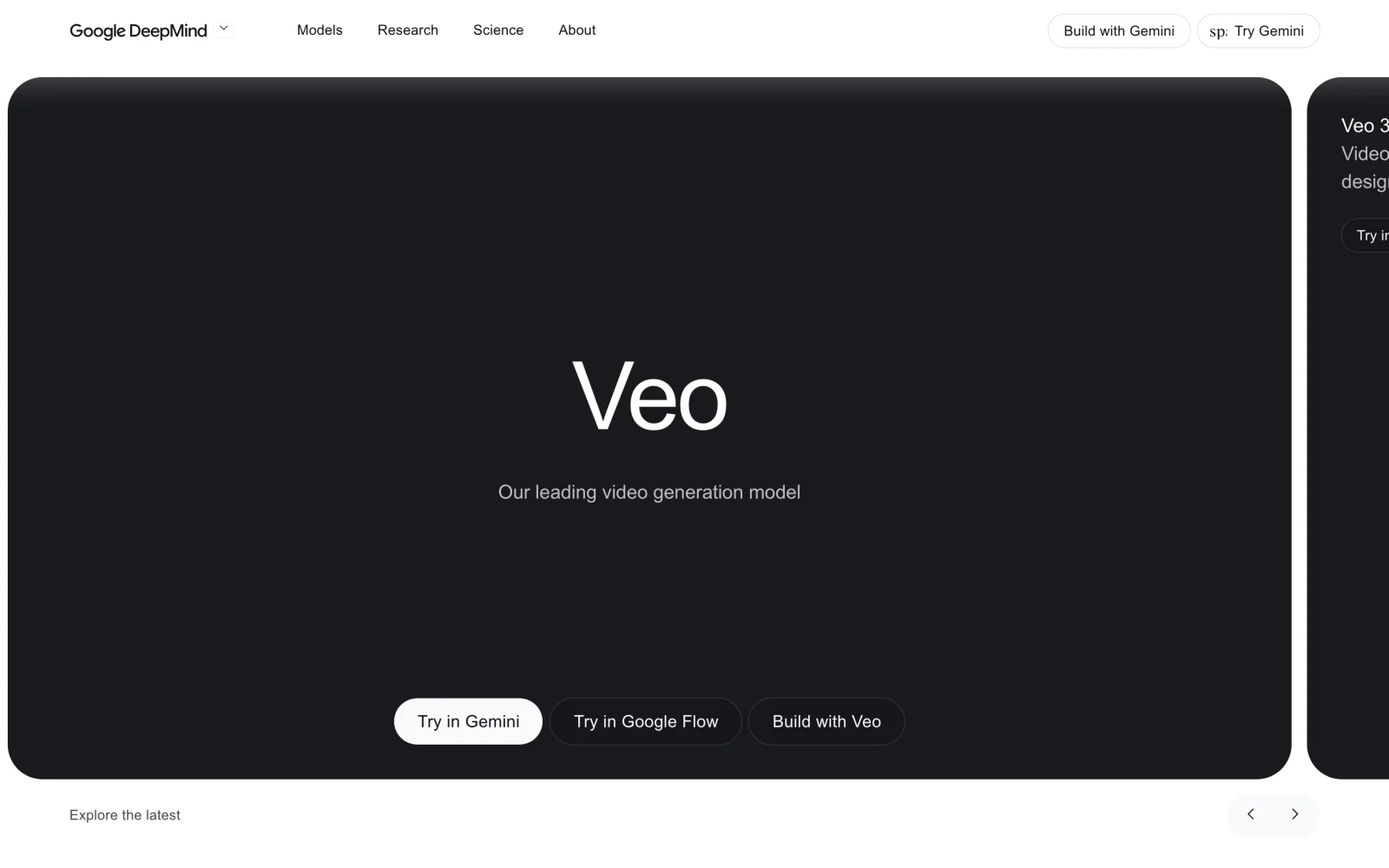
1. Google Veo 3.1 (in Google Flow): best for overall visual realism and free daily testing
Google Flow is Google’s browser studio for Veo 3.1 and Gemini Omni Flash, pairing naturalistic text-to-video and image-to-video generation with single-pass audio. Per Google’s credit guide, Flow is retiring Veo 3.1 Fast and Veo 3.1 Quality on December 5, 2026, leaving Veo 3.1 Lite and Omni Flash 1.2 as its video models.
- Best for: Creators and marketers who want realistic lighting and physics on short hero shots, plus daily free test credits.
- What stands out:
- 50 free daily credits: Google Flow’s credit guide gives every account 50 non-rollover credits per day; a 4-, 6-, or 8-second 720p Veo 3.1 Lite clip costs 10 of them.
- Reference control and native audio: supports reference images and synced ambient sound or speech.
- Limits:
- Non-subscribers can lose video access during peak hours (14:00–17:00 UTC).
- Veo clips stay short (4, 6, or 8 seconds); since Google retired Veo Extend on November 5, 2026, extending a clip needs a paid plan and Omni Flash 1.2.
- Pricing: Free daily tier; Google AI plans add 200 monthly Flow credits on Plus ($4.99/mo US), 1,000 on Pro ($19.99/mo), and 10,000–25,000 on Ultra ($99.99–$199.99/mo).
- Skip it if: You need guaranteed peak-hour free access or uninterrupted 30-second single takes.
2. Runway (Gen-4.5): best for controllable shot direction and restyling footage
Runway combines Gen-4.5 and Gen-4 Turbo with Edit Studio and Runway Agent for teams that iterate on framing, lighting, and shot-by-shot visual changes.
- Best for: Agencies and video teams restyling or relighting existing clips alongside generating new shots.
- What stands out:
- Edit Studio transformations: restyle scenes, swap backgrounds or objects, and relight existing clips with Aleph 2.0.
- Clear credit-to-second math: 625 monthly credits buy 52 seconds of Gen-4.5 or 104 seconds of Gen-4 Turbo, plus 4K upscaling and partner models.
- Limits:
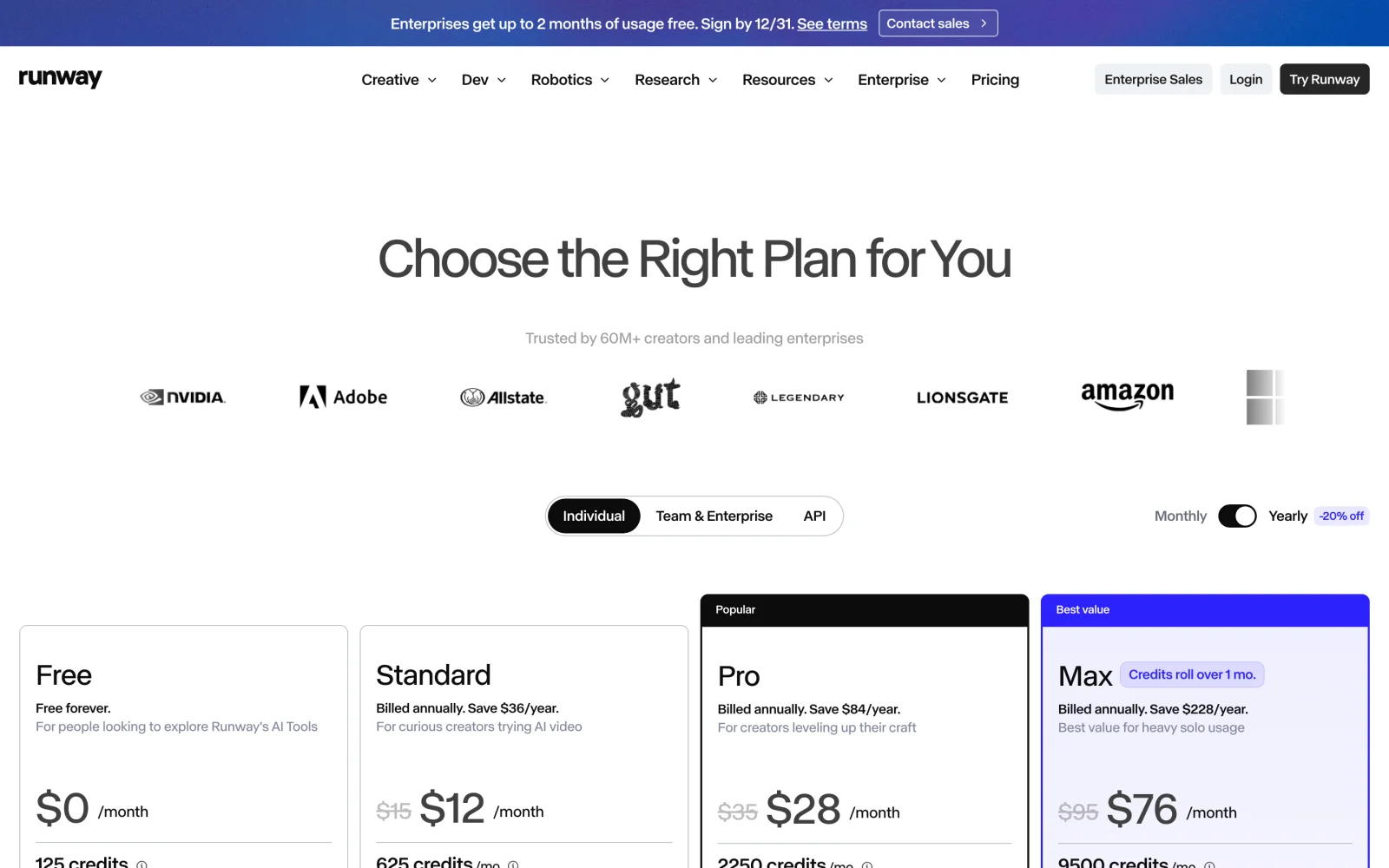
- Free grants 125 one-time credits that never renew, and watermark removal requires a paid plan.
- Unused monthly credits expire unless you pay $95/month for Max.
- Pricing: Free ($0, 125 one-time credits); Standard is $15/month, or $12/month billed annually (625 credits); Pro is $35/month ($28 annual, 2,250 credits).
- Skip it if: You want replenishing free credits or a fast plain-language editor.
3. Seedance 2.5: best for native 4K, 30-second takes, and multimodal references
Built by ByteDance Seed and available to consumers on Dreamina as well as developer APIs and multi-model editors, Seedance 2.5 targets long continuous shots and dense reference setups.
- Best for: Narrative and commercial shots needing 15-to-30-second duration, native 4K detail, or multi-asset continuity.
- What stands out:
- 4 to 30 seconds with native audio: holds single-shot continuity longer than 5-to-10-second generators while rendering ambient sound and speech.
- Up to 50 multimodal references: accepts 30 images, 10 videos, and 10 audio clips, plus source-video editing and extension.
- 480p draft workflow: preview blocking cheaply in 480p Draft mode, then render approved takes at 1080p or 4K (see our Seedance 2.5 Flash vs draft vs 4K guide and when native 4K is worth it).
- Limits:
- Native 4K costs roughly four times 720p and renders slower.
- Extreme low angles can crop subjects tightly or drift on secondary colors (like turning our test prompt’s yellow jacket orange-red).
- Pricing: Dreamina Basic is $0.29 for the first month for eligible US users (1,575 credits), then $15/month; pay-per-token via BytePlus ModelArk. Budget examples are in our Seedance 2.5 price guide.
- Skip it if: You only publish short 720p social loops where budget models look identical on mobile.
4. Kling AI (Kling 4.0): best for reference-video camera control and lip-synced dialogue
Launched in October 2026 on Kling AI, Kling 4.0 brings 30-second single clips, 21:9 framing, reference-video motion transfer, and true two-channel stereo audio.
- Best for: Storyboarded sequences that copy camera paths from a reference video (
@video_1) or stage multi-speaker dialogue. - What stands out:
- Promptable video and keyframe references: per the Kling 4.0 User Guide, one job can use up to 10 keyframes and up to 15 references, including up to 10 images and 5 reference videos (30 seconds total).
- Strong prompt adherence: in our rain-crosswalk run, Kling 4.0 captured every requested visual and stereo-audio cue in one continuous take; the faster Kling 4.0 Flash variant suits cheaper 720p drafts.
- Limits:
- Small background storefront text still renders as unreadable AI glyphs.
- Basic ($0) includes no monthly credits, adds watermarks, and bars commercial use.
- Pricing: Basic $0; per Kling’s credit guide, Standard lists at $10/month ($6.99 first month, $8.80 renewal, 660 credits) with commercial rights; Pro lists at $37/month ($25.99 first month, $32.56 renewal, 3,000 credits).
- Skip it if: Your shots rely on legible background signs or product labels without post-editing.
5. ChatCut: best for comparing models and finishing the edit on one timeline
ChatCut puts Seedance 2.5 (up to native 4K), Seedance 2.5 Flash, Seedance 2.0, Kling 4.0, Kling 4.0 Flash, Kling 3.0, MiniMax H3, MiniMax H3 Max, and Gemini Omni inside one multi-track timeline editor.
In our November 18 test, generating all four 6-second crosswalk takes cost 16.32 credits ($4.08 at $0.25/credit) in about 3.5 minutes. We placed three takes onto a 24 fps timeline, trimmed 0.5s off Seedance 2.5 and 1.5s off Gemini Omni, and raised two rain tracks by +3 to +4 dB with short fades in about two minutes, then exported a 14-second 720p MP4 locally in about 45 seconds for zero extra credits.
- Best for: Creators comparing models side by side and cutting, captioning, scoring, and exporting 4K in one project.
- What stands out:
- Upfront per-job quotes: shows a credit estimate before sending (our four quotes landed within 0.02 credits of the final charge), while manual cuts, captions, and local 4K Desktop exports use zero credits.
- External agent support: connect Claude Code or Codex on desktop using their own host subscriptions for reasoning.
- Limits:
- AI video generation requires a paid plan (credit packs alone don’t unlock it), and AI generation or built-in agent messages use credits.
- Needs internet; cloud rendering caps at 1080p (60-minute cumulative Free quota, bypassed by Desktop local export); no Linux app, Windows x64 only, and plugins don’t install on ChatGPT/Claude websites.
- Pricing: Free plan for editing and captions; paid plans from $25/month for 100 credits ($252/year).
- Skip it if: You want free AI generation, offline/Linux support, or dedicated color grading.
6. Luma AI (Ray3.2): best for 16-bit HDR, EXR VFX pipelines, and multi-keyframe shots
Luma AI replaced its deprecated Dream Machine and Ray2 models with Ray3.2 (June 2026 per Luma’s model reference), focusing on high-bit-depth VFX and commercial post-production.
- Best for: Post houses needing multi-keyframe camera paths, video-to-video modifications, or 16-bit HDR and ACES EXR deliverables.
- What stands out:
- VFX-grade output: supports up to 16 keyframes per clip, Modify Video V2 (up to 20s at 1080p), Draft Mode, and 16-bit HDR plus ACES2065-1 EXR export.
- Bundled partner engines: paid plans also include Veo 3.1, Seedance 2.0, Kling 3.0, and ElevenLabs audio.
- Limits:
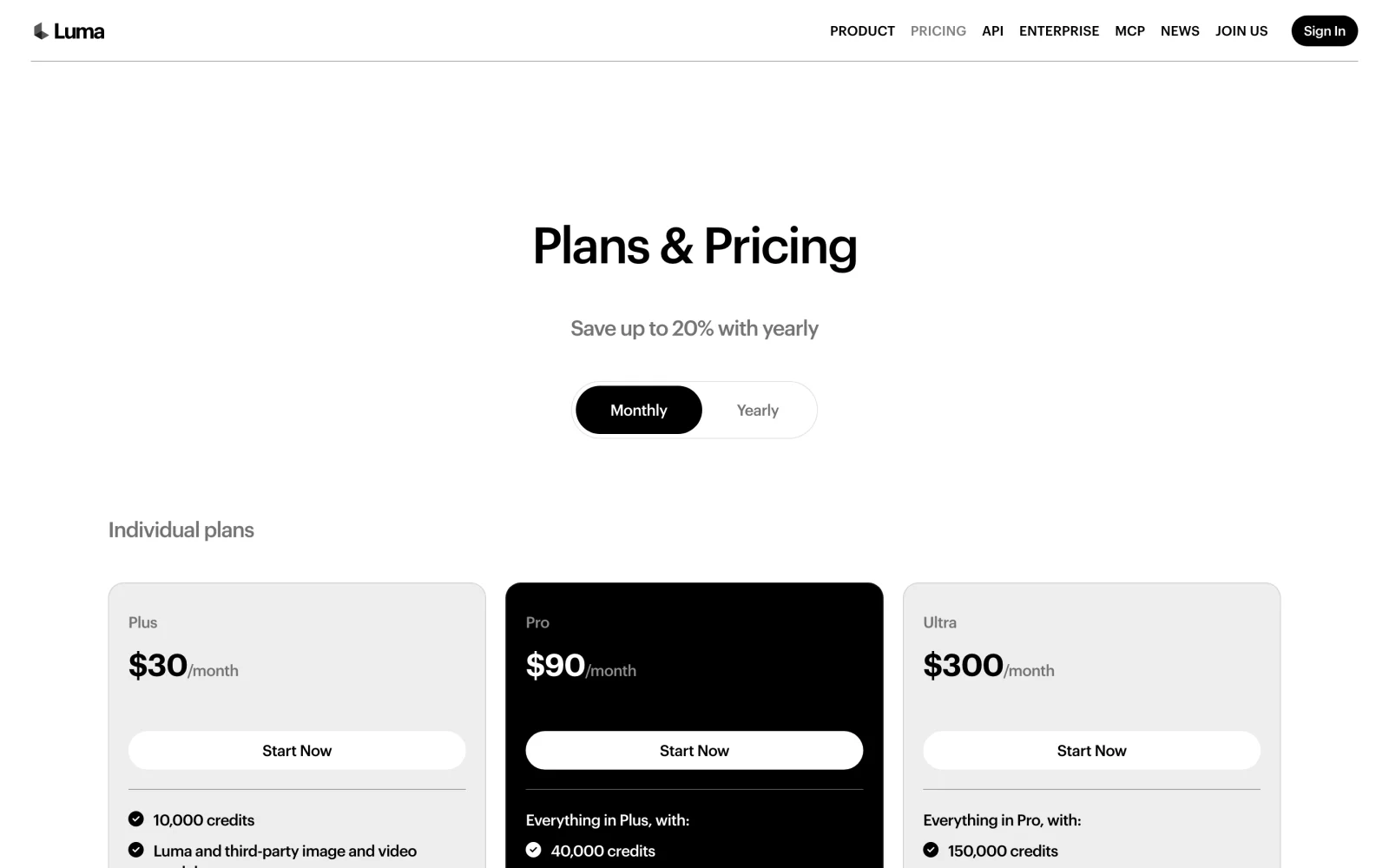
- No permanent free tier is offered on Luma’s pricing page, and $30/month is the steepest starting price here.
- HDR doubles credit burn and HDR+EXR triples it on top of 1,200 credits per 10-second 1080p SDR clip.
- Pricing: Plus from $30/month or $300/year (10,000 credits, commercial rights per Luma’s licensing docs); Pro $90/month; Ultra $300/month.
- Skip it if: You want a free trial tier or only deliver standard 8-bit social video.
7. Hailuo AI (MiniMax H3): best for lower-cost reference-guided clips
Hailuo AI is MiniMax’s consumer studio powered by MiniMax H3, generating 4-to-15-second clips at 768p or 2K with multimodal references at budget-friendly rates.
- Best for: High-volume creators wanting energetic motion, last-frame locks, or multimodal references on a budget.
- What stands out:
- 12-slot Omni Reference: accepts up to 9 images, 3 videos, and 3 audio files, or a standalone last frame without a first frame.
- Value per clip: delivered the clearest tire-spray splash and loudest rain audio at the lowest credit cost in our test.
- Limits:
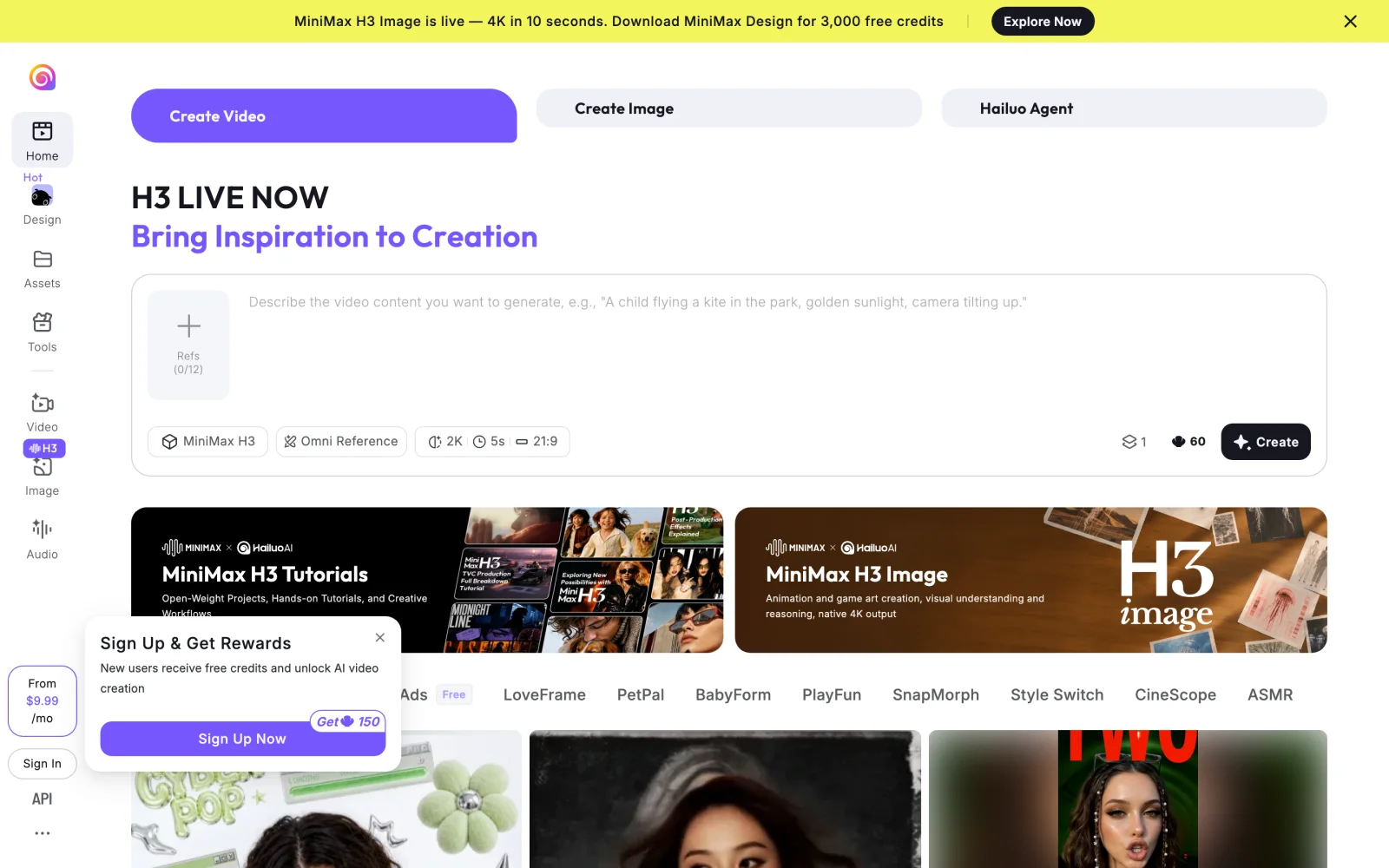
- Per Hailuo’s payment policy, free users get watermarked downloads, and commercial-use rights cover content made on a paid plan.
- Default contrast leans heavily into saturated neon tones rather than neutral dusk lighting.
- Pricing: Watermarked free tier; the payment policy lists Standard at $14.99/month (1,000 credits), Pro at $54.99/month, and Master at $119.99/month, while Hailuo’s site and blog advertise plans from $9.99/month, so check current pricing at checkout.
- Skip it if: You need understated filmic color grading or single takes longer than 15 seconds.
8. Pika: best for quick social effects and watermark-free credit packs
Pika combines its fast Pika 2.5, Pika H3 Flex, and Pikaframes models with social mini-apps (Swap Anything, Motion Transfer) and third-party video engines on web and iOS.
- Best for: Social creators making playful object swaps, stylized short clips, or low-cost watermark-free exports.
- What stands out:
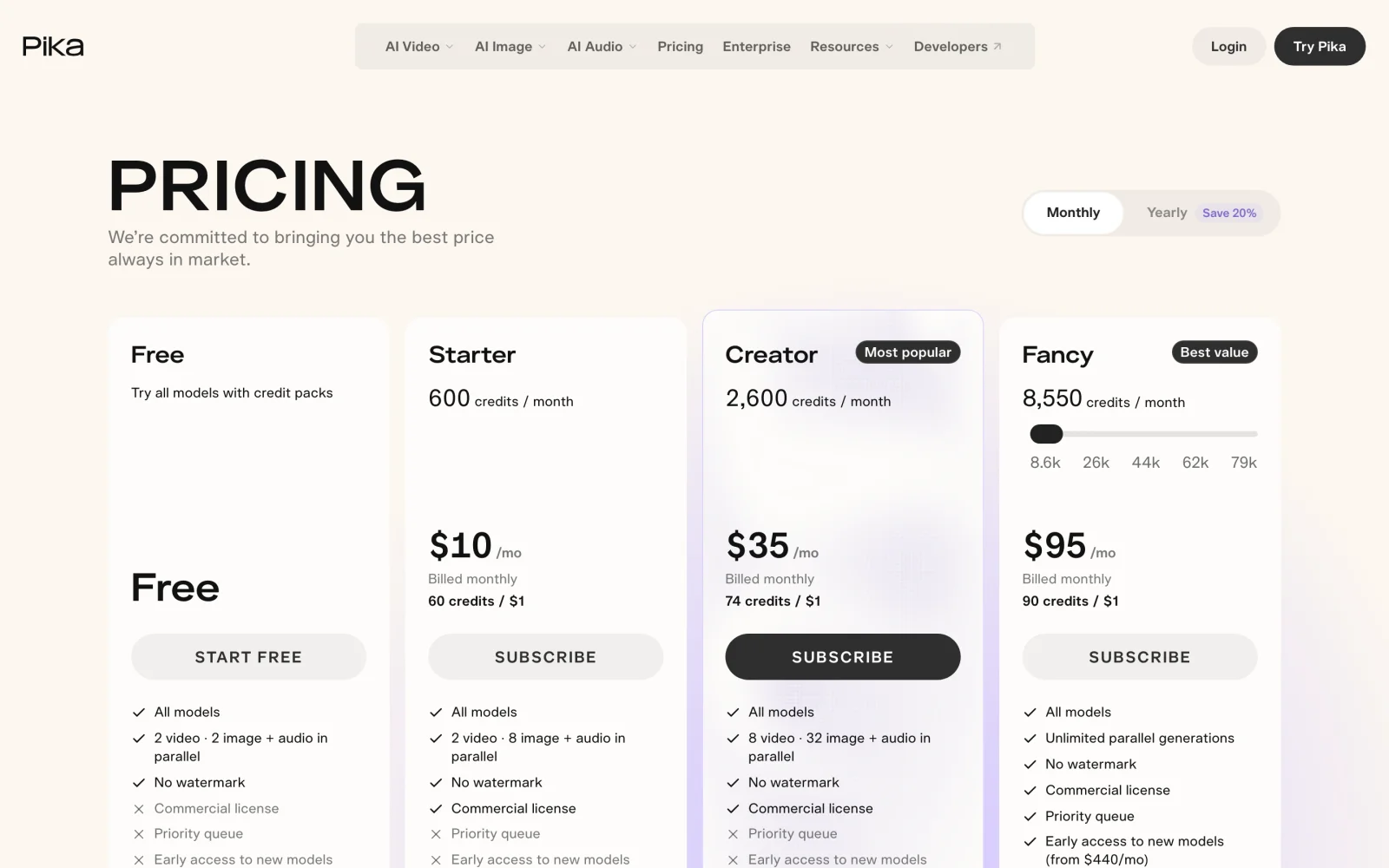
- No watermark on any tier: Pika’s pricing page includes watermark-free downloads even on the $0 plan.
- Repeatable effect apps plus partner models: run one-click scene swaps alongside Kling 4.0, Seedance 2.5, MiniMax H3, and Gemini Omni 1.1 Flash.
- Limits:
- The $0 plan includes zero monthly credits (requiring credit packs) and no commercial license.
- Starter limits concurrency to two video jobs without priority queue access.
- Pricing: Free ($0, credit-pack access, personal use); Starter is $10/month ($8/month annual, 600 credits, commercial use); Creator is $35/month ($28 annual, 2,600 credits).
- Skip it if: You want daily free credits or a multi-track editor for longer videos.
9. Higgsfield: best for AI ad templates, UGC presets, and batch generation
Higgsfield wraps image and video models into ad-focused workflows—Cinema Studio, Ads Studio, a UGC builder, Soul ID character lock, and Higgsfield Speak—built for performance marketers.
- Best for: E-commerce and paid-social teams generating batched product hooks and recurring AI talent.
- What stands out:
- Built for ad variants: Soul ID keeps recurring talent recognizable across shots while UGC presets structure camera moves.
- Parallel rendering: per Higgsfield’s pricing breakdown, Plus runs 6 video jobs simultaneously and Ultra runs 8.
- Limits:
- Per Higgsfield’s free-plan docs, Free grants zero monthly credits, 1 job at once, limited models, and a visible watermark that requires re-generating after upgrading.
- Full model access, Start & End Frame, and the UGC builder require the $49/month Plus tier rather than $15 Starter.
- Pricing: Free ($0); Starter $15/month (200 credits); Plus $49/month (1,000 credits, all models); Ultra $129/month (3,000 credits).
- Skip it if: You want unlocked frontier models under $20/month or an editing timeline.
10. invideo AI: best for turning a written brief into a stock-plus-AI marketing draft
invideo AI blends prompt-driven agents, stock footage, voiceover, and generative models inside a multiplayer browser editor for script-led marketing videos.
- Best for: Marketing teams turning written briefs into narrated drafts mixing stock clips and AI B-roll.
- What stands out:
- Script-to-draft automation: assembles voiceover, captions, 100–500 premium stock clips, and generated shots onto a timeline.
- Multiplayer seats: Starter supports up to five collaborative browser seats out of the box.
- Limits:
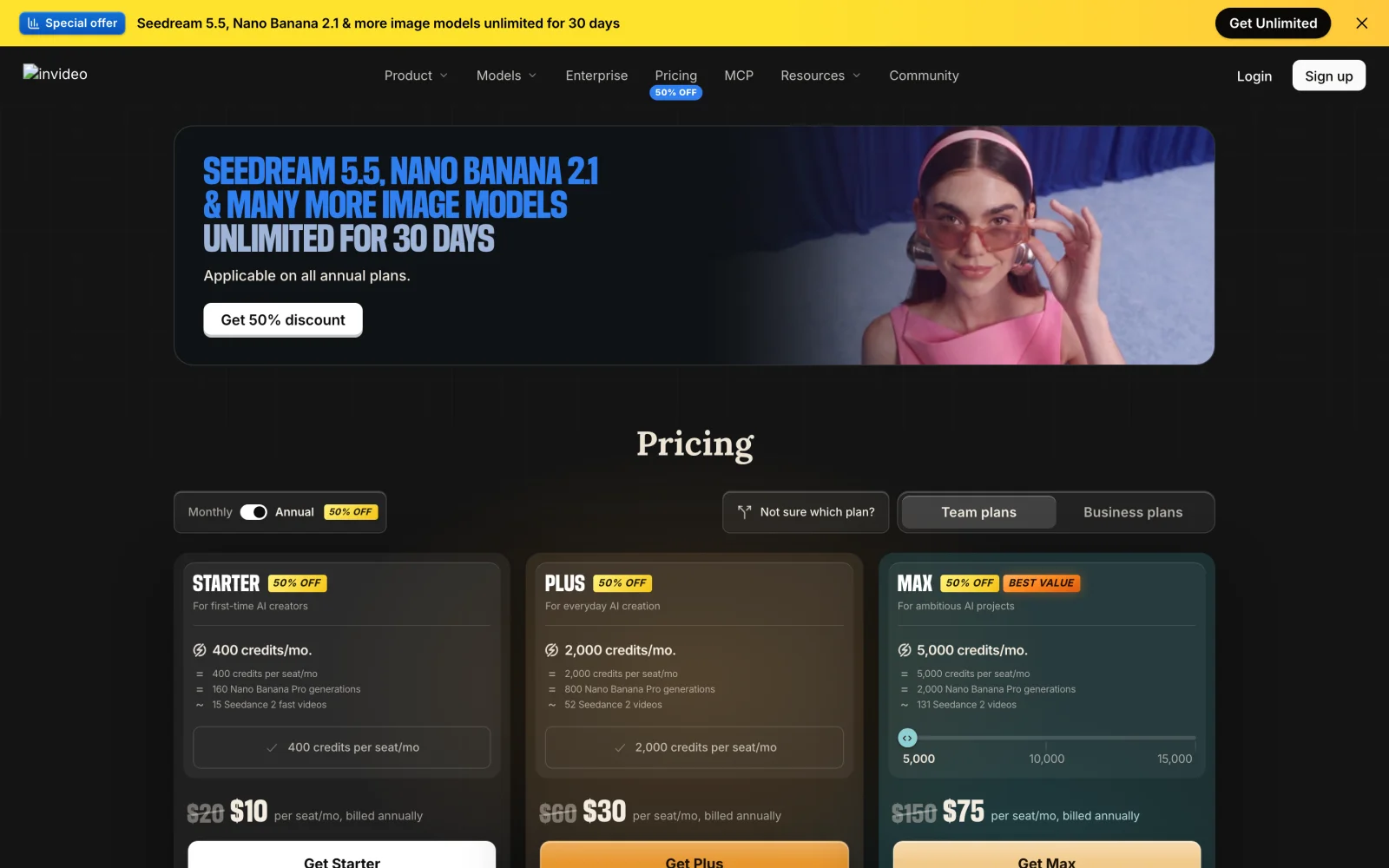
- Free exports carry an invideo watermark, and monthly credits never roll over.
- On invideo’s pricing page, Starter ($20/mo, or $10/mo annual) blocks Seedance 2.5 and 4K Seedance 2.0 behind the $60/mo ($30/mo annual) Plus plan.
- Pricing: Watermarked free trial; Starter $20/seat/month ($10 annual, 400 credits); Plus $60/seat/month ($30 annual, 2,000 credits); Max $150/seat/month ($75 annual, 5,000 credits).
- Skip it if: You want direct frontier-model access on an entry tier without per-seat pricing.
Also Considered
- Adobe Firefly: Strong if you work in Premiere Pro and need IP-safe training data or Generative Extend trims (check current pricing on Adobe’s plans page), though complex physics trail Veo 3.1, Seedance 2.5, and Kling 4.0.
- PixVerse: Fast web/mobile template effects; skipped because it overlaps closely with Pika.
- Alibaba Wan: Leading open-weight model if you run local high-VRAM GPUs in ComfyUI with zero SaaS fees.
- HeyGen and Synthesia: Built for scripted talking-head avatars rather than scene generation; covered in our workflow guide linked above.
What Happened to OpenAI Sora?
Sora is gone. Per OpenAI’s discontinuation notice, OpenAI closed the Sora apps on April 26, 2026 and shut down the Sora 2 API on September 24, 2026. Former users migrate to Google Veo 3.1 for natural physics and audio, Seedance 2.5 or Kling 4.0 for 15-to-30-second takes and multi-reference locks, or Runway Gen-4.5 for shot restyling—see Sora 2 vs Veo 3.1 vs Seedance 2.0.
How to Choose the Best AI Video Generator
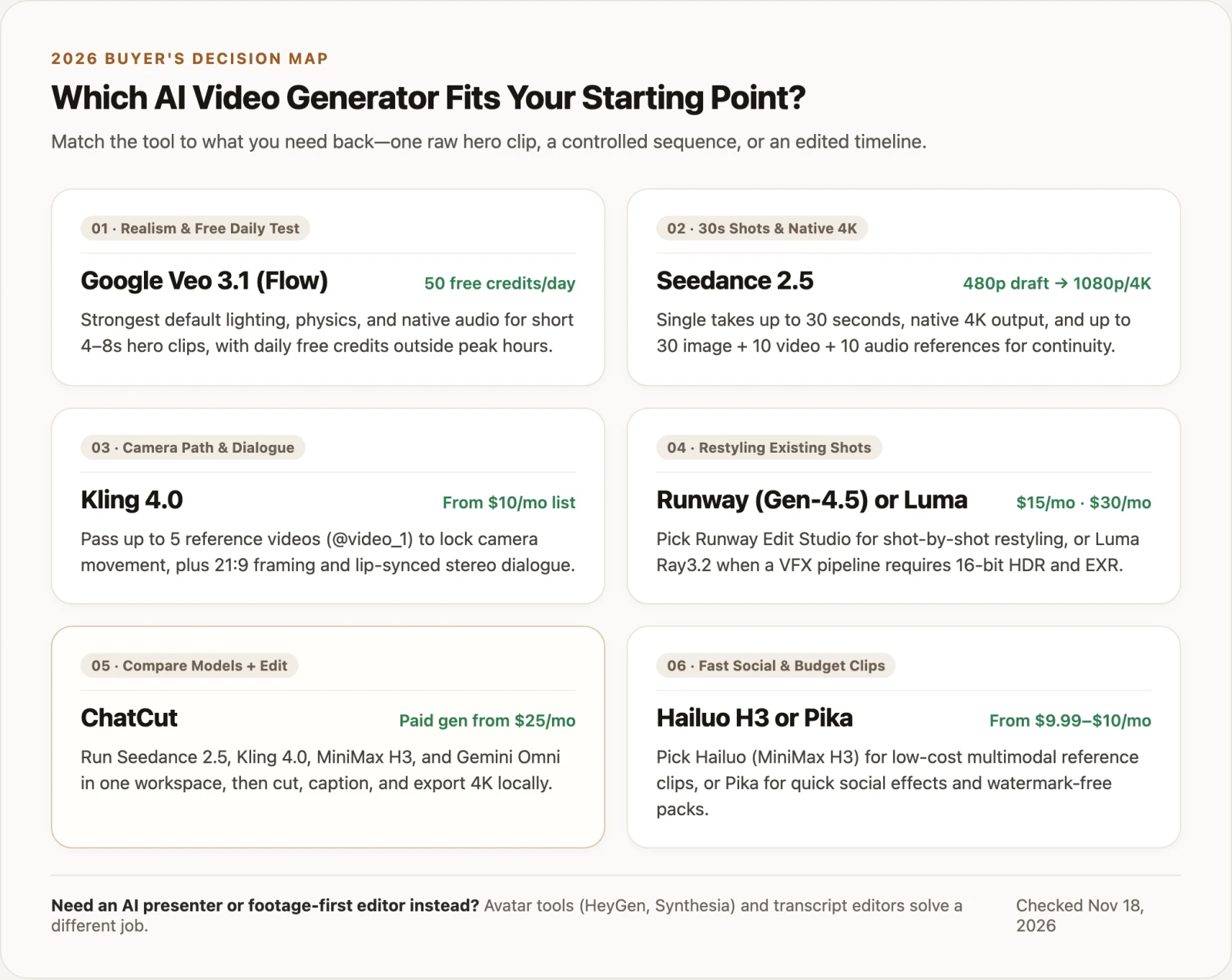
- If you want the best free daily test and naturalistic short clips, pick Google Veo 3.1 in Google Flow outside roughly 14:00–17:00 UTC.
- If you need 15-to-30-second continuous takes, native 4K, or audio references, pick Seedance 2.5 and check framing with a 480p draft first.
- If you want to copy a camera move from a reference video or generate stereo dialogue, pick Kling 4.0.
- If you are restyling existing footage or exporting 16-bit HDR / EXR plates, pick Runway (Gen-4.5) or Luma AI (Ray3.2).
- If you want to run Seedance, Kling, MiniMax, and Gemini Omni in one place and finish the cut on an editable 4K timeline, pick ChatCut (paid plan required for generation).
- If you want playful social swaps or vivid reference clips around $10/month, pick Pika or Hailuo AI (MiniMax H3).
Whatever model you choose, camera, lens, lighting, and audio phrasing drives retry rates—borrow tested structures from our AI video prompts guide.